Registre
Retail and everyday services
A colour band for the number and dates, a circular badge, and a coloured rule under the column headers.
For QuickBooks Online
docubello converts every invoice the moment it is created, then attaches the finished PDF right back onto the invoice in QuickBooks. Same amounts, same taxes, your look — without a single click.
Free during the beta · no card required
Three gestures, then the pipeline works on its own, invoice after invoice.
The QuickBooks consent takes a minute. Your existing invoices come in right away — history fills up while you read “company connected”.
Polished designs, installed in your colours with your logo. Already own a template you love? Import it.
Every invoice created or updated in QuickBooks is converted, and the PDF is attached onto that same invoice. Updated again? The attachment is replaced — never two copies.
Every template is designed for a type of business, then fine-tuned: three typefaces, two densities, three ways to lay on your colour — and the document's language, French or English. A hundred-odd looks, all rendered with your logo on your actual invoice before you choose.
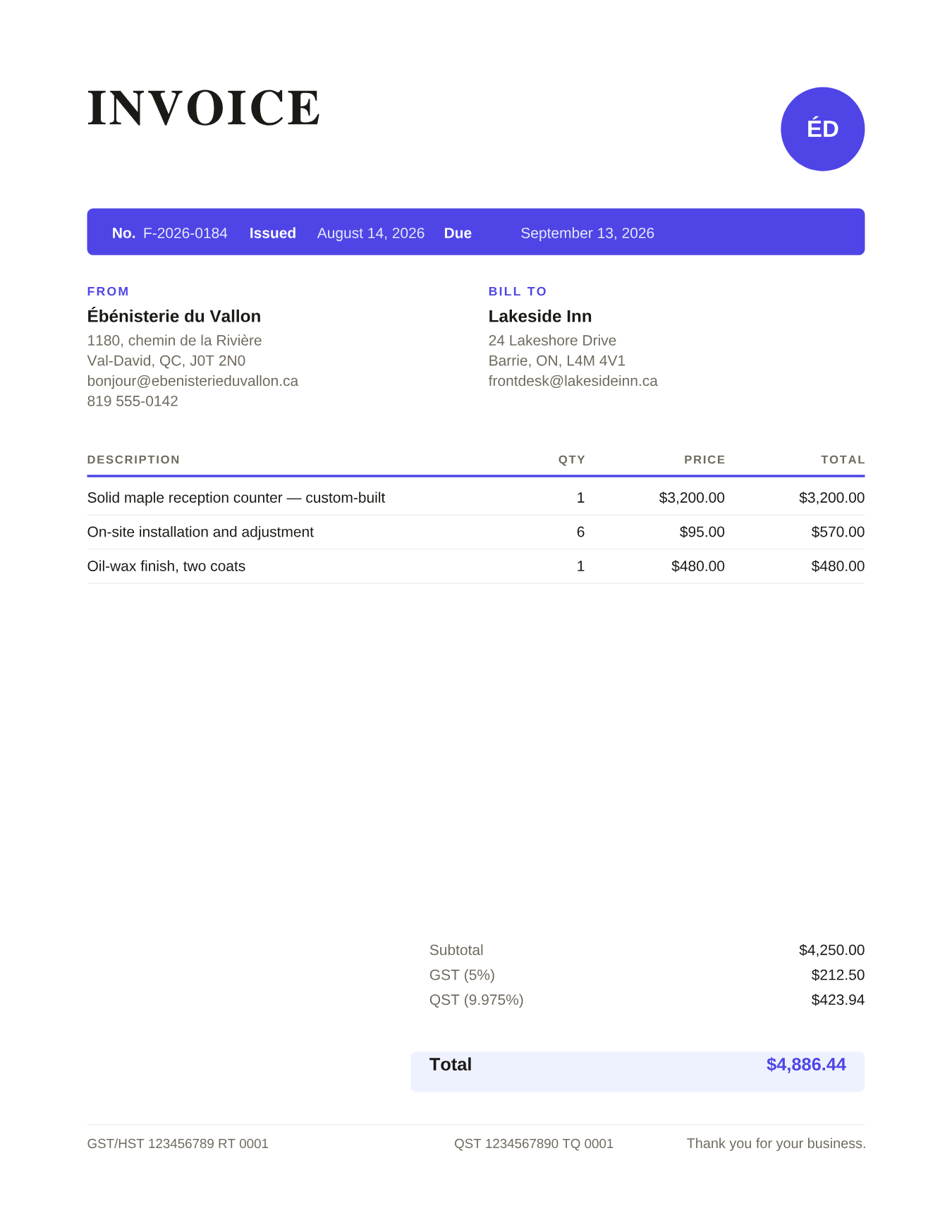
Retail and everyday services
A colour band for the number and dates, a circular badge, and a coloured rule under the column headers.
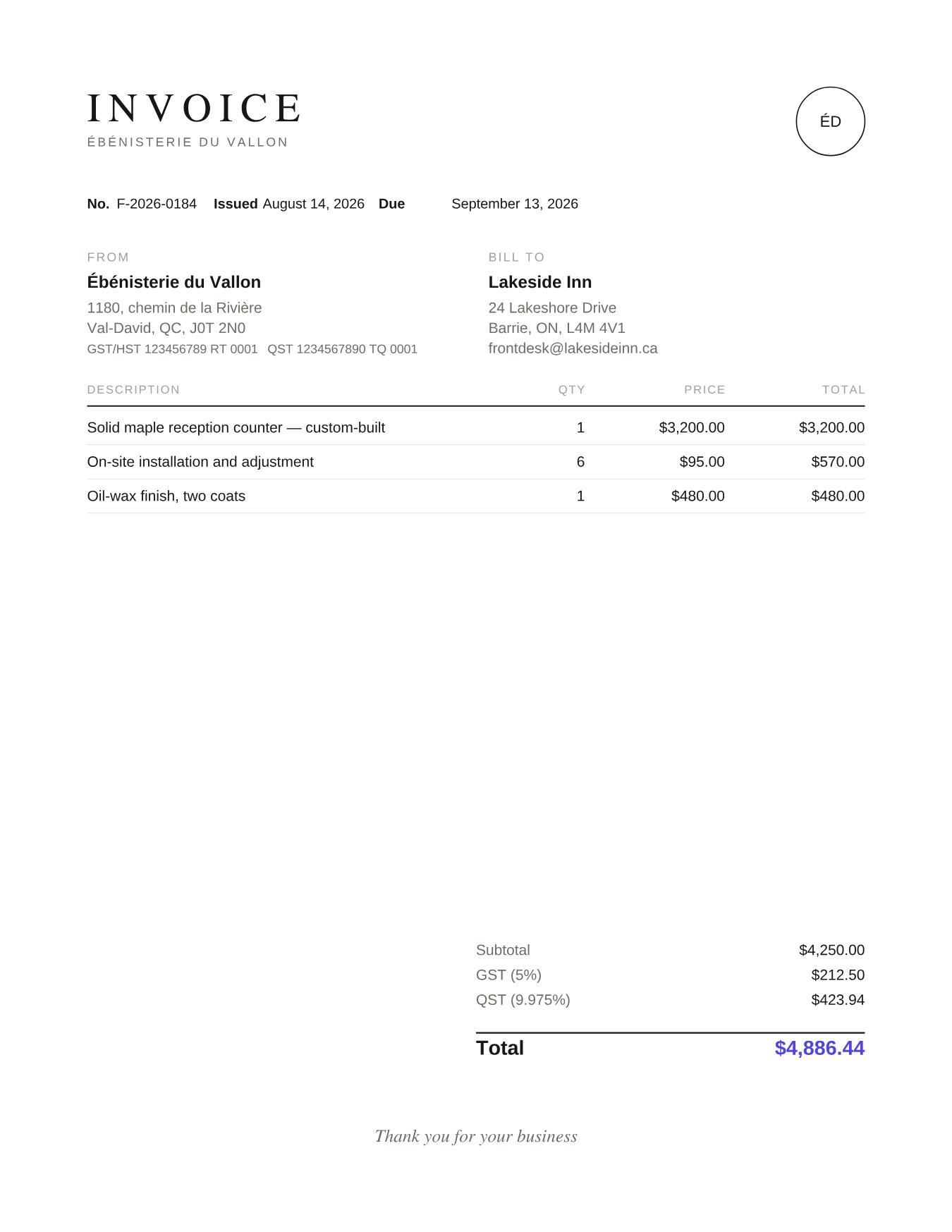
Professionals and firms
Understated: no colour fills, only thin rules. Colour appears on the total amount alone.
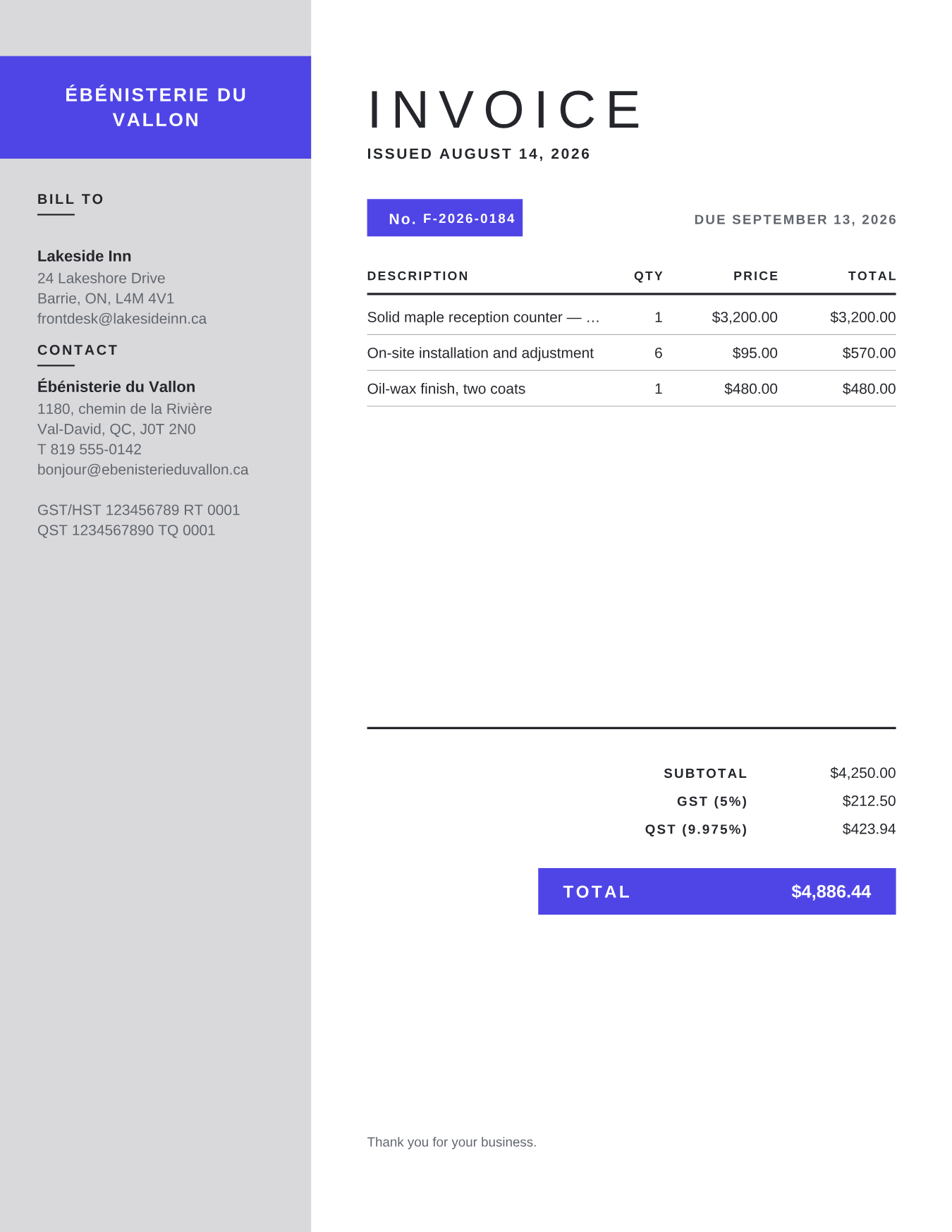
Construction and workshops
A full-height side column carrying your contact details, letterhead-style — title block and total on a colour background.
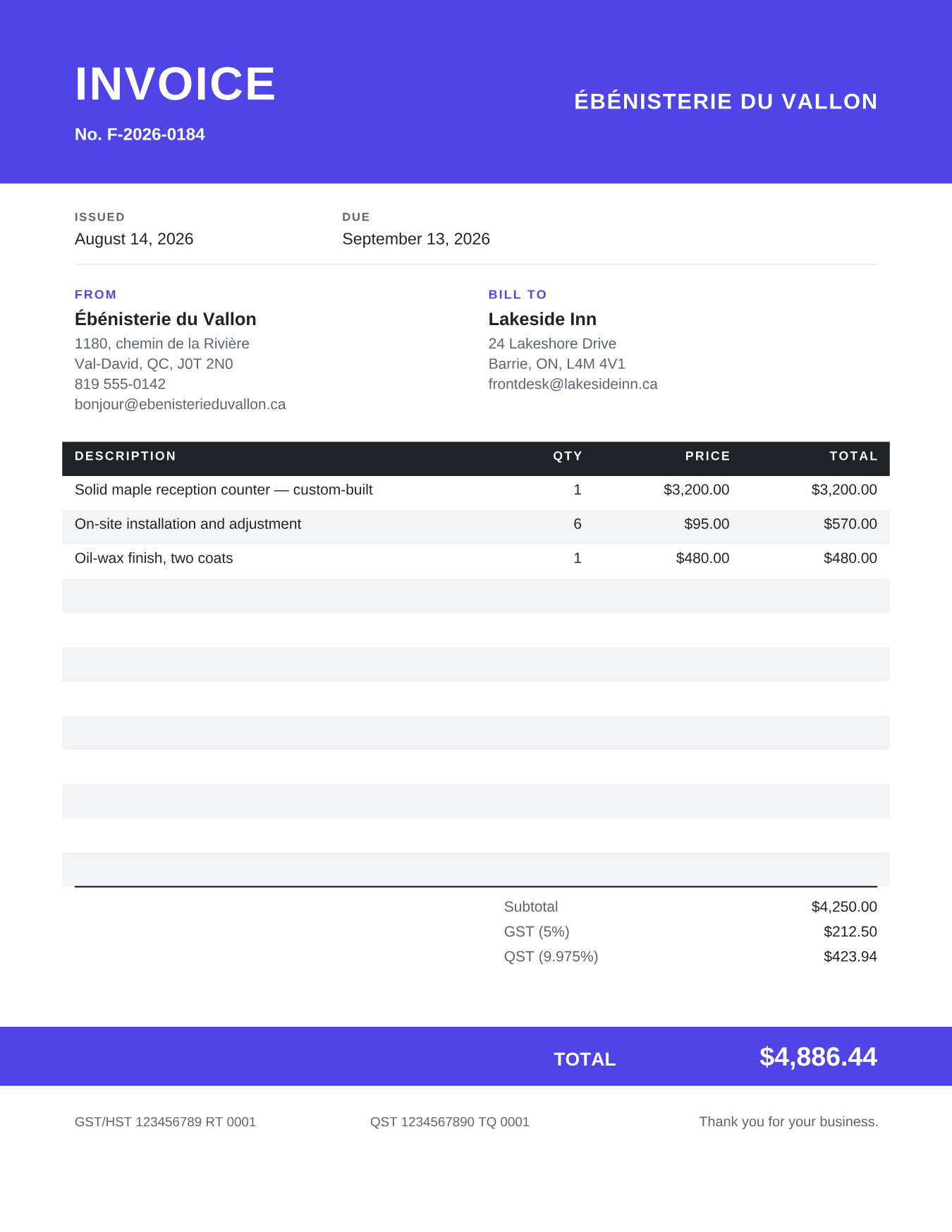
Contractors, electricians, plumbers
A full-width colour band up top, a zebra-striped table, and the total in a band at the foot of the page. Sturdy, legible even printed in black and white.
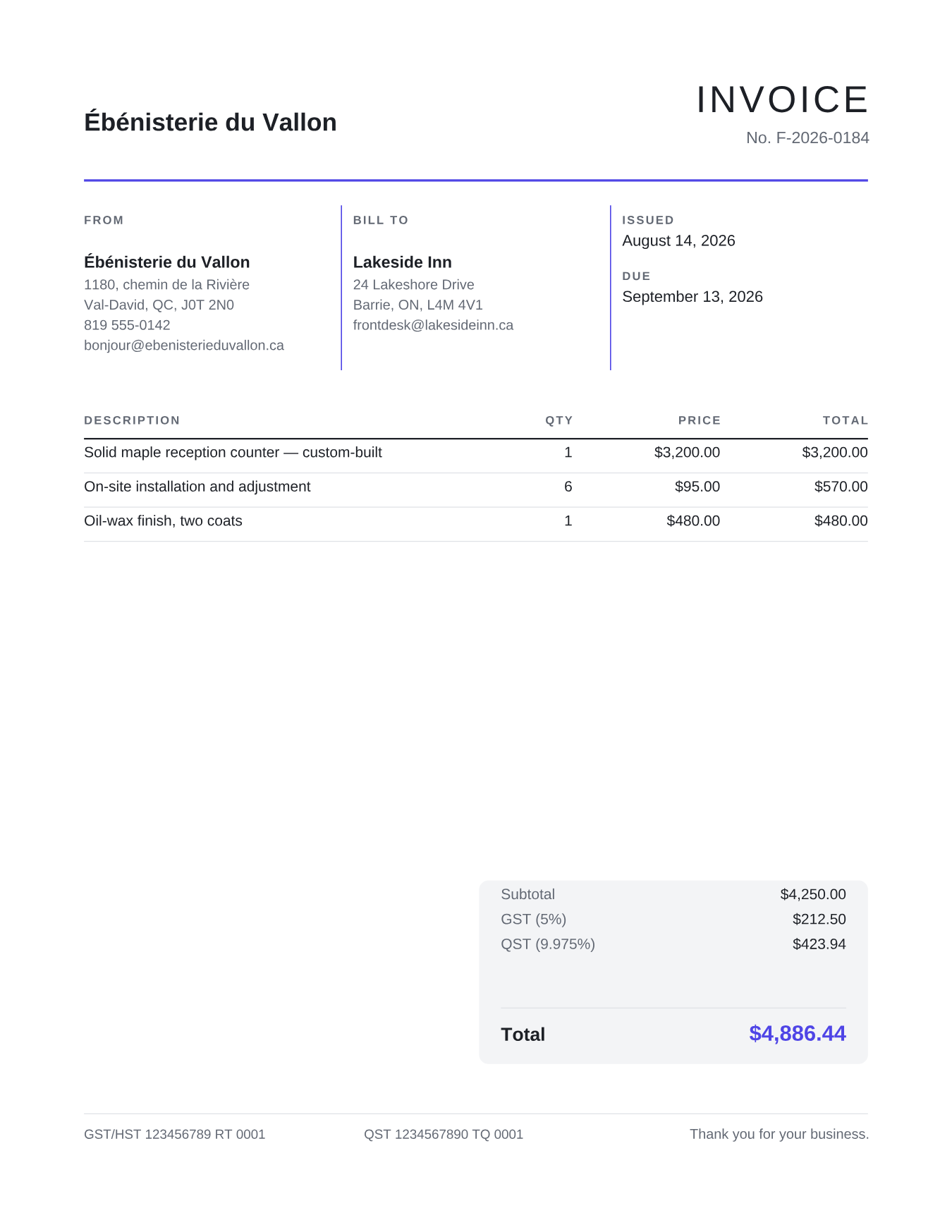
Consultants, agencies, business services
Issuer, client and details side by side, separated by thin rules in your colour; totals in a grey card. Clean, no colour fills, very “office”.
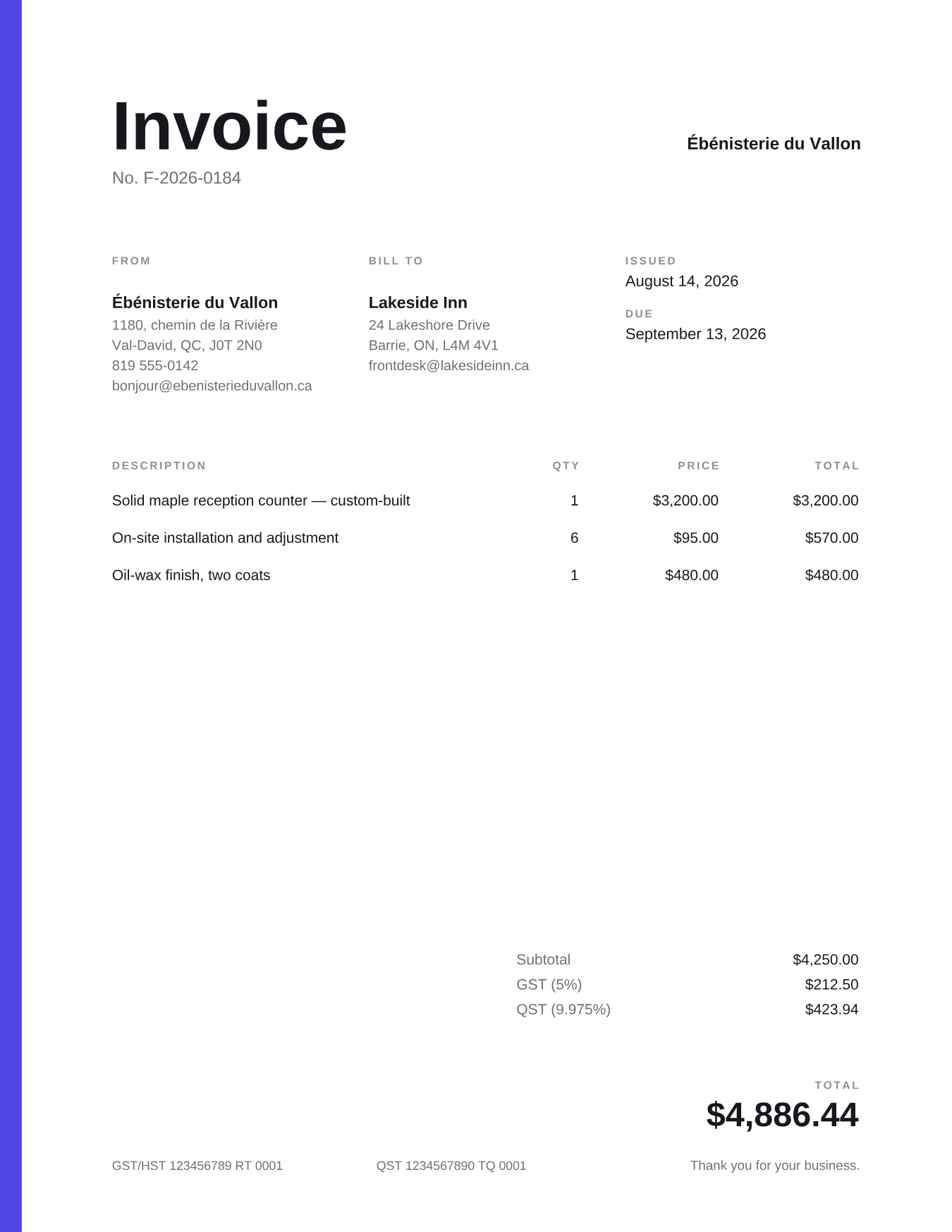
Designers, photographers, studios
A thin colour band down the entire left edge, and nothing else: plenty of white space, a large title, no rules. Minimalism as a signature.
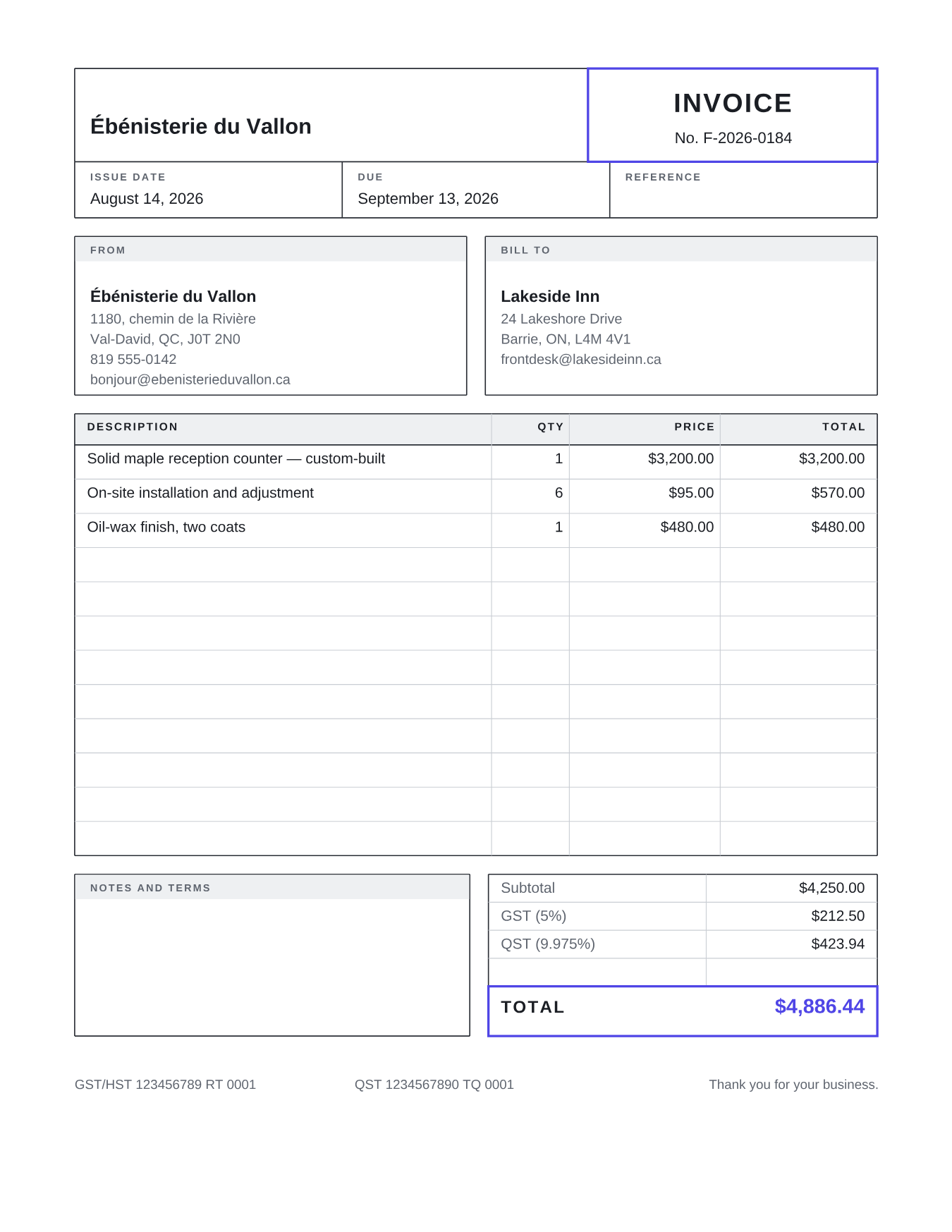
Notaries, accountants, property managers
Everything is framed: boxes for the issuer and the client, a fully ruled table, totals in a frame. The gravity of an official form, without the ugliness.
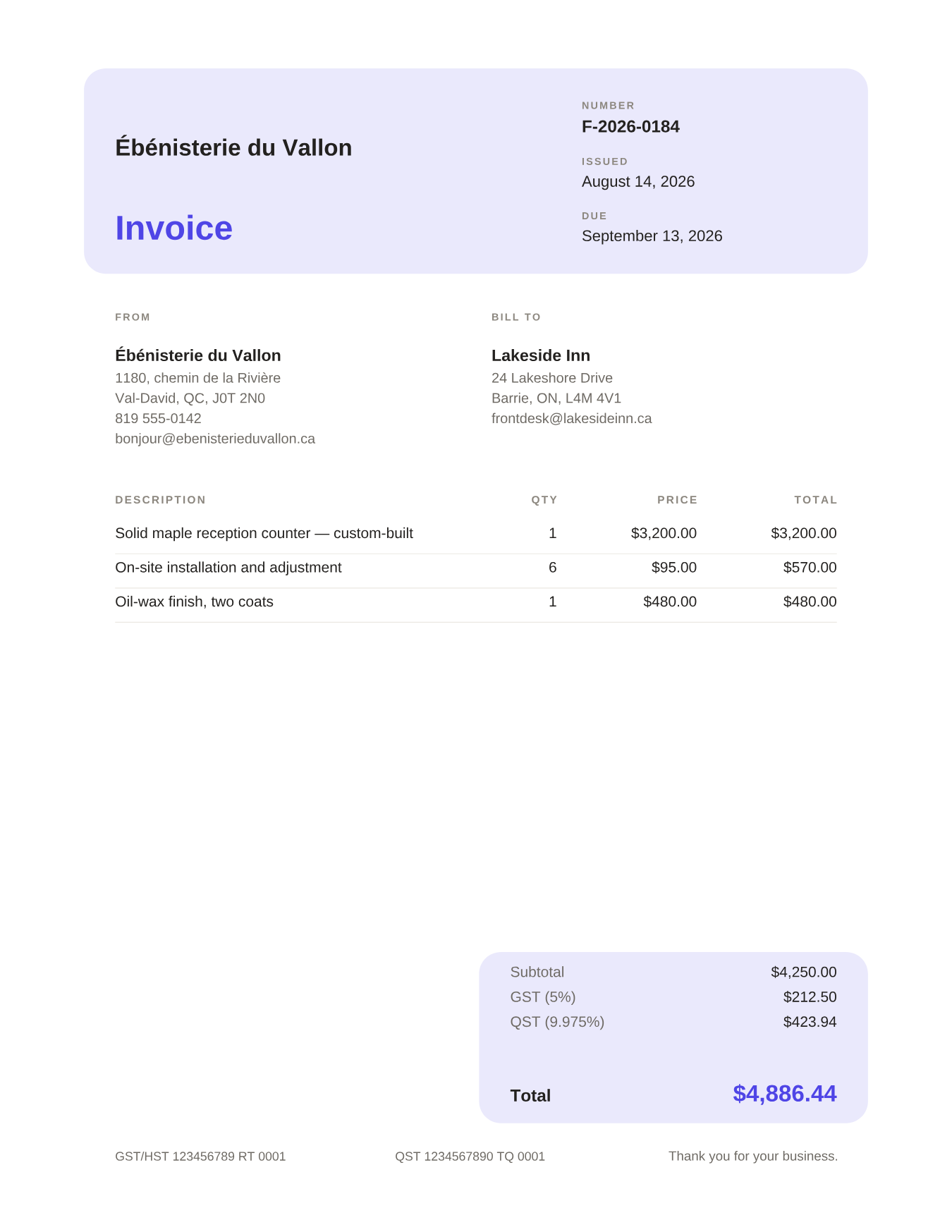
Clinics, therapists, health and wellness
The header is a soft-cornered card, tinted in your colour: logo, number and dates together. A borderless table, totals in a second card. Warm and calm.
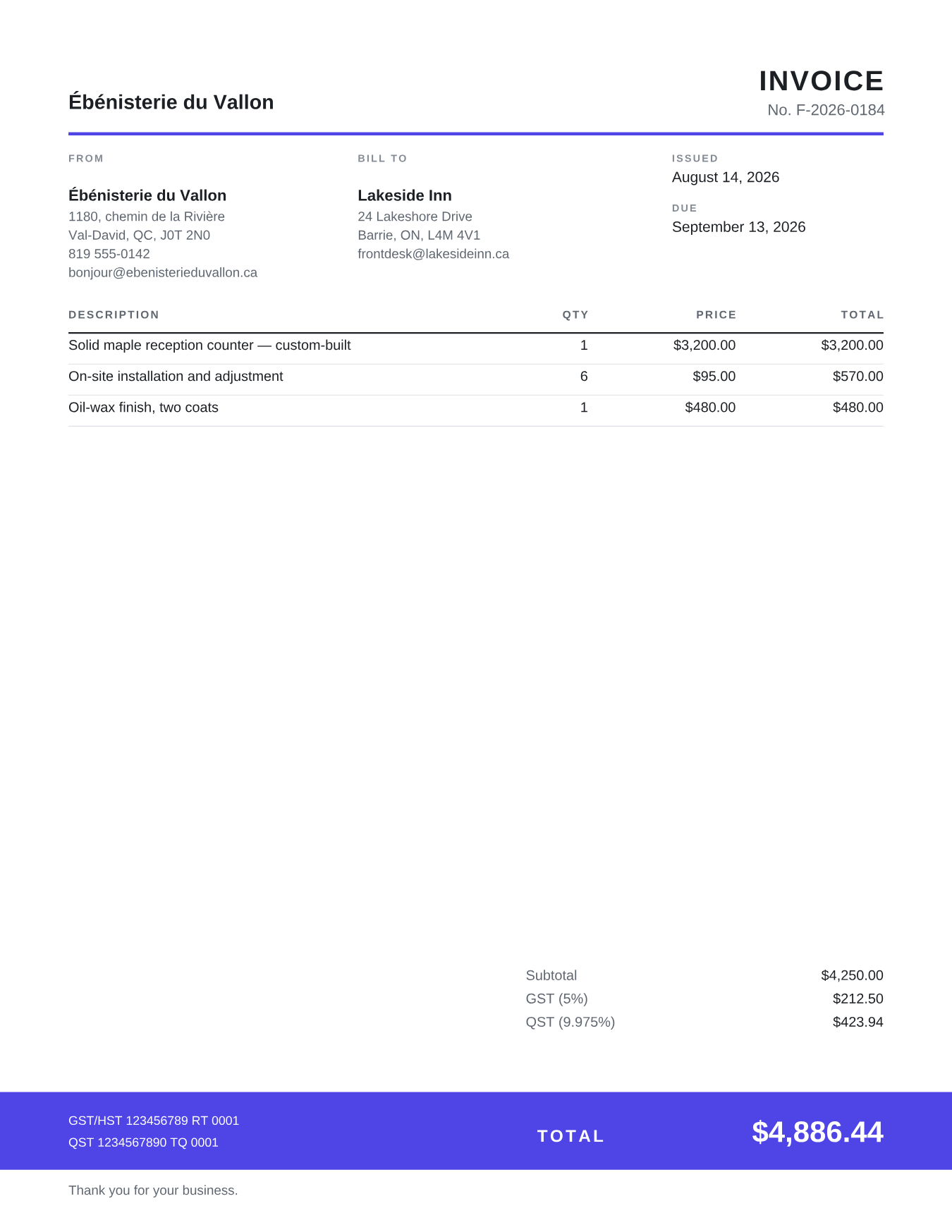
Landscapers, snow removal, maintenance
A light header, a table that takes the whole page, totals anchored in a colour band at the foot. Built for long invoices: up to 20 lines on one page, and the total always in the same place.
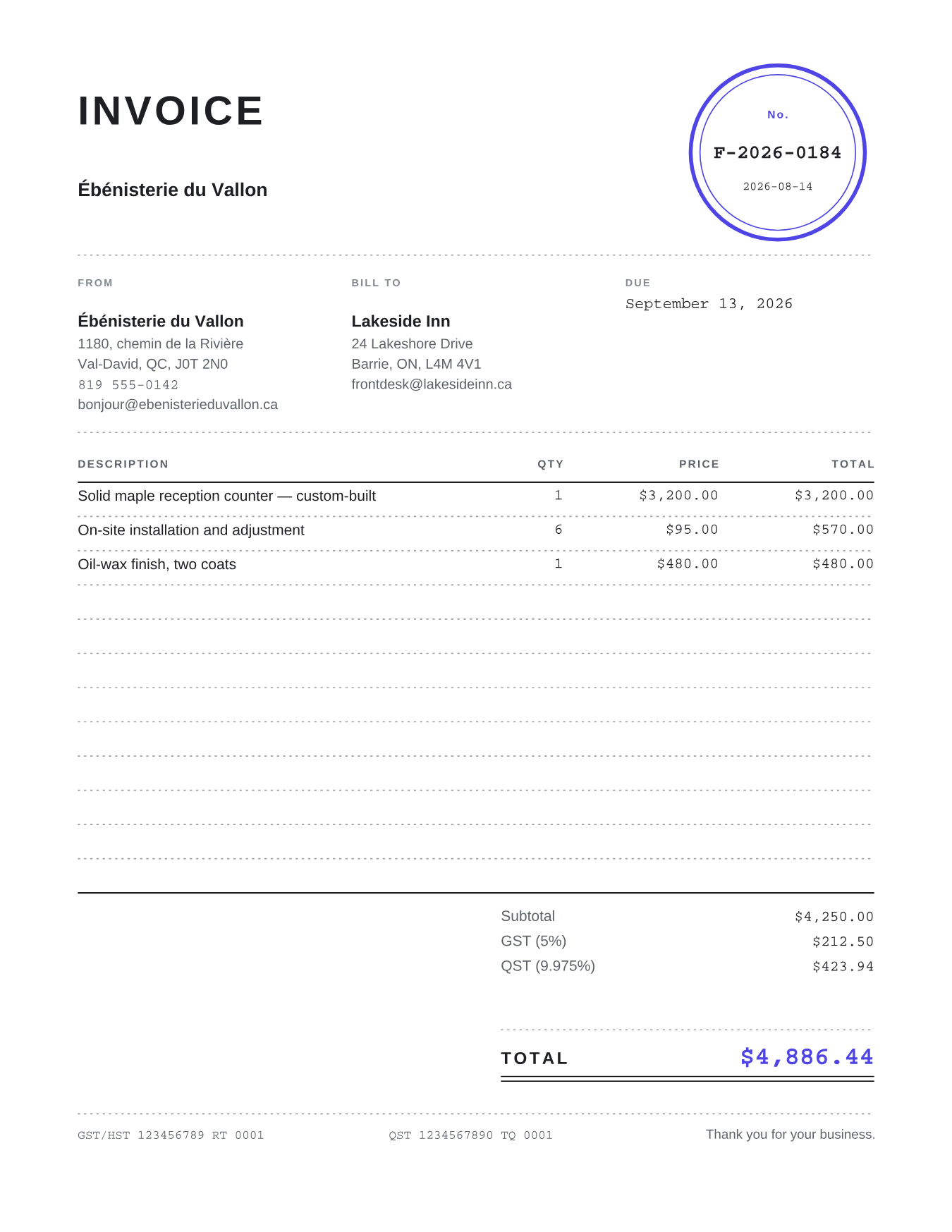
Garages, workshops, printers, repair shops
The document number writ large in a circle outlined in your colour, like a rubber stamp; figures in Courier, dotted rules. A work-order look, and proud of it.
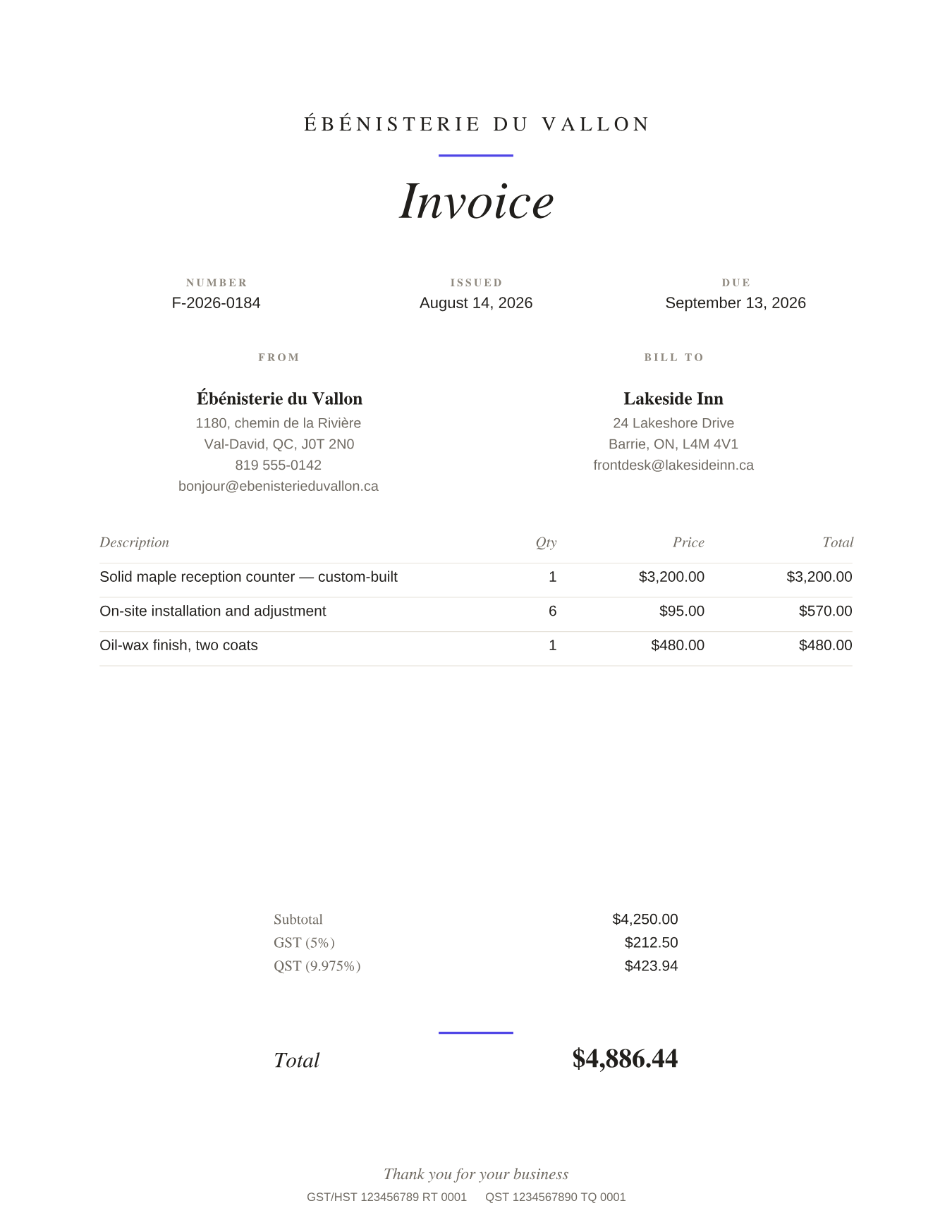
Caterers, florists, artisans, weddings
Everything is centred, the title in Times italic, plenty of air, and for colour only small rules, like ribbons. The one family where the typography is the decoration.
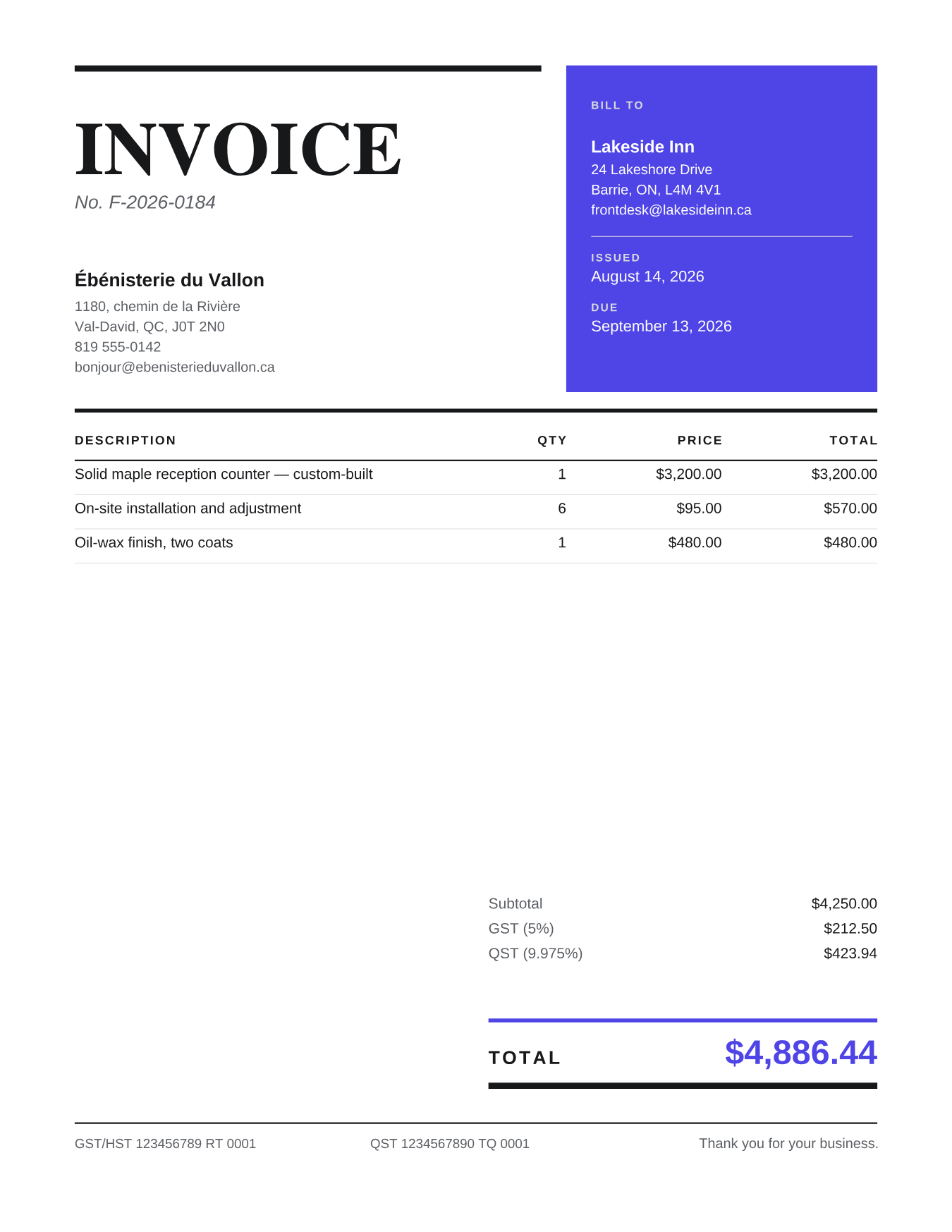
Restaurants, events, media, creators
A massive serif title on the left, a block of your colour on the right carrying the client and the dates, heavy rules. Editorial, assertive.
Quebec, Ontario, Atlantic, West: the platform reads and renders GST, HST, QST and PST — in English and in French, with registration numbers in the right place and totals that reconcile to the cent.
QuickBooks access tokens are encrypted (AES-256-GCM) before they touch the database, with the key kept outside it — Intuit's security-review requirement, applied to the letter.
The platform reads your invoices and writes exactly one thing: the finished PDF, added as an attachment. Your amounts, customers and taxes are never modified.
One click on our side, or disconnecting from QuickBooks itself: tokens are revoked with Intuit and deleted from our servers, either way.
Everything is open: the automatic pipeline, every template, history import. Paid tiers will be announced at launch — beta accounts get advance notice, no surprises.
No. The platform reads the invoice, converts it, and attaches the finished PDF onto that same invoice. Amounts, customers, taxes: nothing else is written.
The pipeline reconverts it and replaces the previous attachment. An invoice never carries two PDFs — and an unchanged invoice is never reprocessed.
They come in at connection time — up to 300 in one sweep — and the “Convert all” button dresses them all in your template.
One click in Settings: access tokens are revoked with Intuit, then deleted on our side. Disconnecting from QuickBooks does exactly the same cleanup. Your invoices and attachments stay in QuickBooks — they are yours.
Invoices, estimates, and sales receipts — all three arrive, convert, and get delivered with the same guarantees.